Anyone who publishes trade magazines, marketing materials, or corporate publications knows the struggle: the editorial team works in the modern web CMS Drupal, while the layout team designs pages in Adobe InDesign. In between lies a time-consuming, error-prone bottleneck: manual copy-and-paste. When text corrections are sent back and forth via email or PDF, the final editing phase quickly turns into an organizational nightmare. This costs valuable time – and ties up unnecessary design resources.
Yet, Drupal has long established itself as one of the most flexible and secure enterprise content management systems on the market. But how do you turn this web CMS into a true powerhouse for high-quality print products?
The answer is CX Fusion: the intelligent publishing ecosystem that enables a professional print integration to Drupal and links the web CMS and Adobe InDesign into a seamless, bidirectional workflow.
The Problem: The Constant Ping-Pong Game Between Editors and Designers
In many publishing houses and corporate marketing departments, daily life without a direct Drupal-InDesign integration looks like this:
- Editors write and finalize articles directly within their familiar Drupal interface.
- The graphic design team manually copies texts into InDesign and painstakingly assigns paragraph styles.
- If the text doesn’t fit the column, the ping-pong game begins: trim requests are exported, corrected, and copied all over again.
This linear process blocks valuable creative resources. In an era where layout teams need to remain lean, this manual effort is no longer sustainable.
Connect Drupal with InDesign – How the Smart Print Interface Works
CX Fusion breaks down these silos. Instead of dully importing data, the solution creates a true, two-way bridge between web and print. This saves up to 50% of layout production time and allows even small design teams to manage complex magazine productions flawlessly.
1. Drag-and-Drop Instead of Copy-and-Paste in Adobe InDesign
The layout team works in their native InDesign environment. Through an integrated CX Fusion panel, the designer searches directly for approved Drupal articles. With a single click, the text is dragged and dropped onto the page. The system automatically pours the content into the predefined design template, intelligently mapping formatting, paragraphs, and styles.
2. Line-Accurate Copyfitting Directly in the Web CMS Drupal
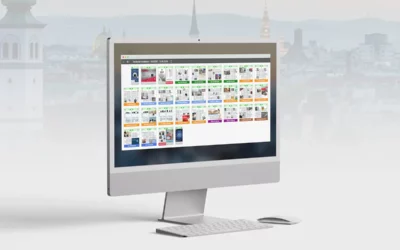
The greatest cost-saving potential lies in the correction phase. Via the integrated CX Fusion Planner – a browser-based planning tool – every InDesign page is linked directly to the corresponding Drupal node.
- Automatic Warning: If a headline is too long or the body copy is too short, the system mirrors the text overset directly into the CMS. The editor trims the text to fit perfectly before the graphics team even has to intervene.
- For Editors: They continue to use their familiar online editor in Drupal but simply switch to the print layout preview. Here, they can see live and line-accurately how much space is available in the InDesign layout.
3. Efficient Print Workflows Without Switching Software
Minor layout and text adjustments no longer require an InDesign client. Using a browser-based “Page Layout” feature, authorized editors can make minimal adjustments directly within the Planner. Meanwhile, the design team remains completely free in InDesign to focus on complex, highly creative editorial pages.
Key Benefits of the Drupal-InDesign Connection at a Glance:
- Professional Print Integration: By eliminating repetitive manual tasks, even reduced layout teams can easily handle the entire workload without stress.
- Error-Free Single Source of Truth: Because changes are synchronized in real-time, there are no outdated text versions or overlooked corrections.
- True Remote Collaboration: Editorial and design teams work completely location-independent and hand-in-hand via the cloud.
- Digital First Without Compromise: Online-specific elements are automatically ignored during the print export – the editorial team manages content only once.
Conclusion: Link Drupal with InDesign and Optimize Your Publishing Success
Coupling Drupal and Adobe InDesign via CX Fusion puts an end to inefficient publishing workflows. You transform your web CMS into a professional, highly automated print channel. The result: less stress during final editing, maximum time savings in the layout department, and an economically optimized magazine production.
Ready to see how a direct print connection to Drupal can radically simplify your publishing?